Logo

Assessing Literacy and Numeracy (ALAN) help desk

Home Solutions

How can we help you today?

Log an online query - NSW public schools Support for CSNSW and AIS
Solution home Year 1 Phonics Screening Check Administering the phonics check using the online tool

Accessing the Phonics Screening Check online tool Print

Modified on: Thu, 1 Oct, 2026 at 10:46 AM


How to access the online tool

  1. Log in to the ALAN homepage.
  2. In the ALAN homepage, select the Year 1 Phonics Screening Check tile.
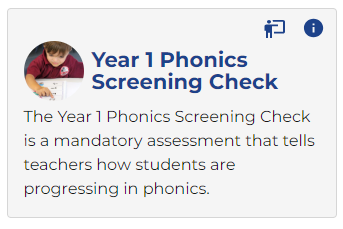

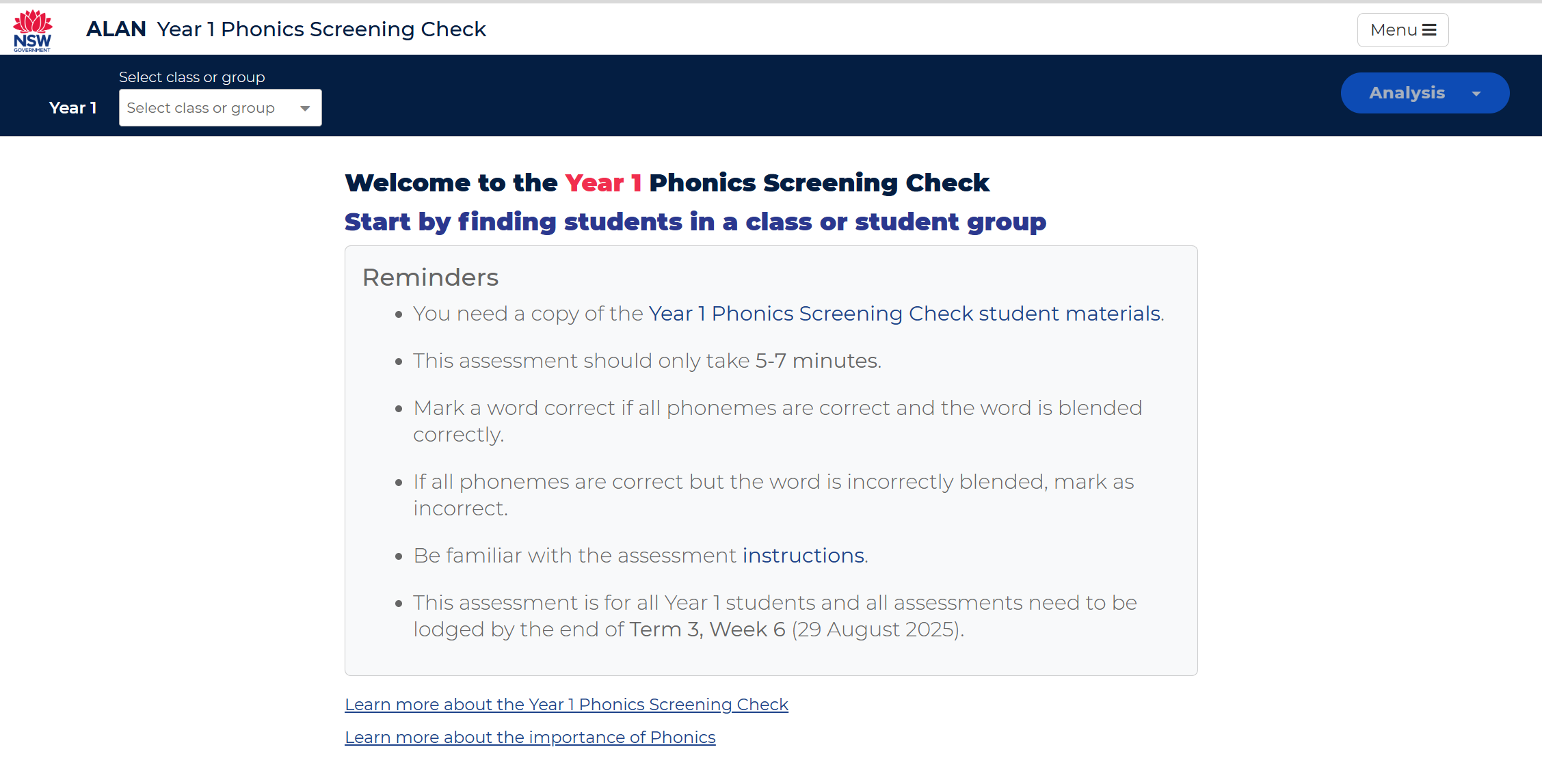
  3. Clicking on the Year 1 Phonics Screening Check tile will open the application.


Related information

  • View student information
  • Administer and lodge the assessment
  • Download the Student assessment analysis and Parent feedback summary
  • View assessment information in PLAN2


 For more assessment resources and information on professional learning, visit Year 1 Phonics Screening Check.


Did you find it helpful? Yes No

Send feedback
Sorry we couldn't be helpful. Help us improve this article with your feedback.

Related Articles

    Home Solutions
    Article views count